

Figma plugin · Founded
Relay, both ways.
A Figma plugin that moves work between Figma Design and Figma Make, in both directions. Designed and built from concept to Figma Community submission.
Overview
Prompts for Make, and real frames back
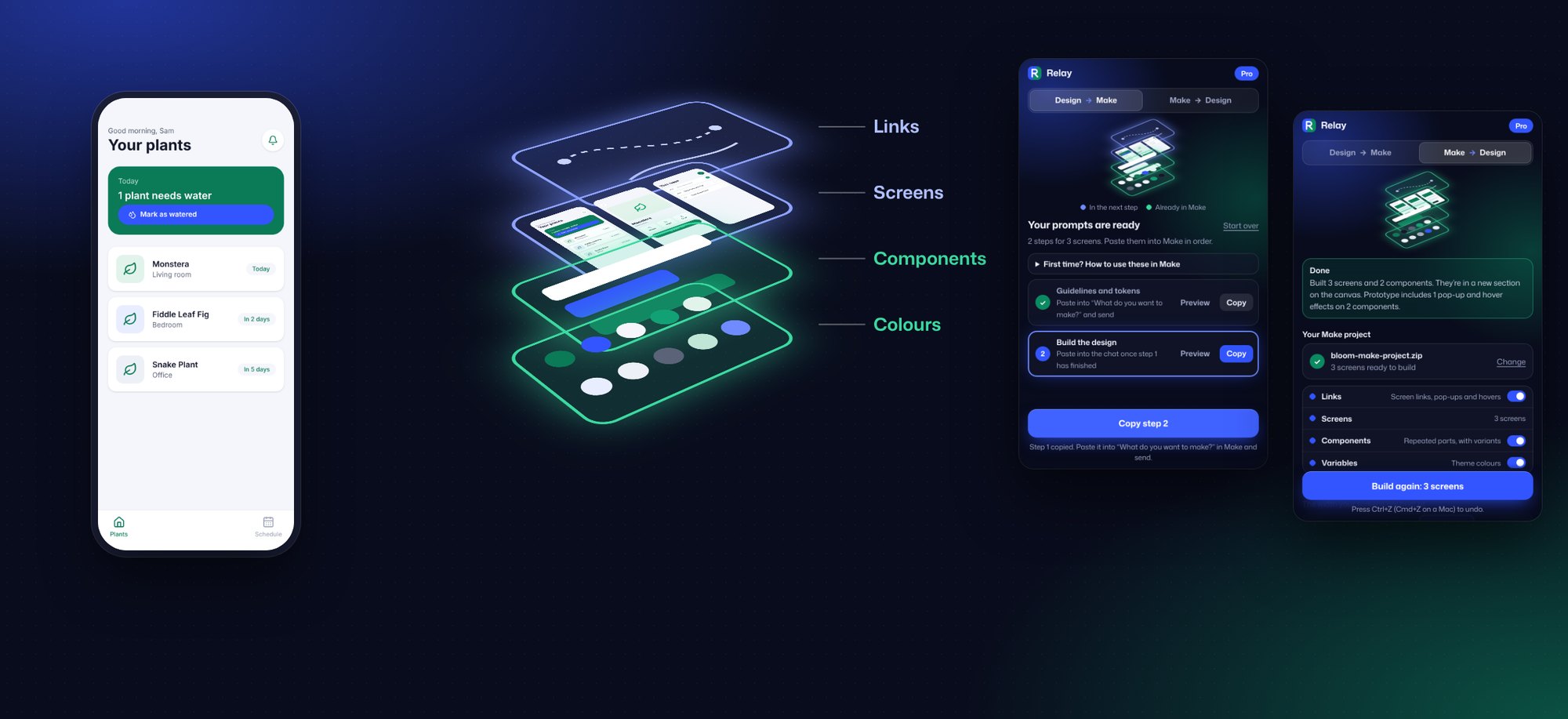
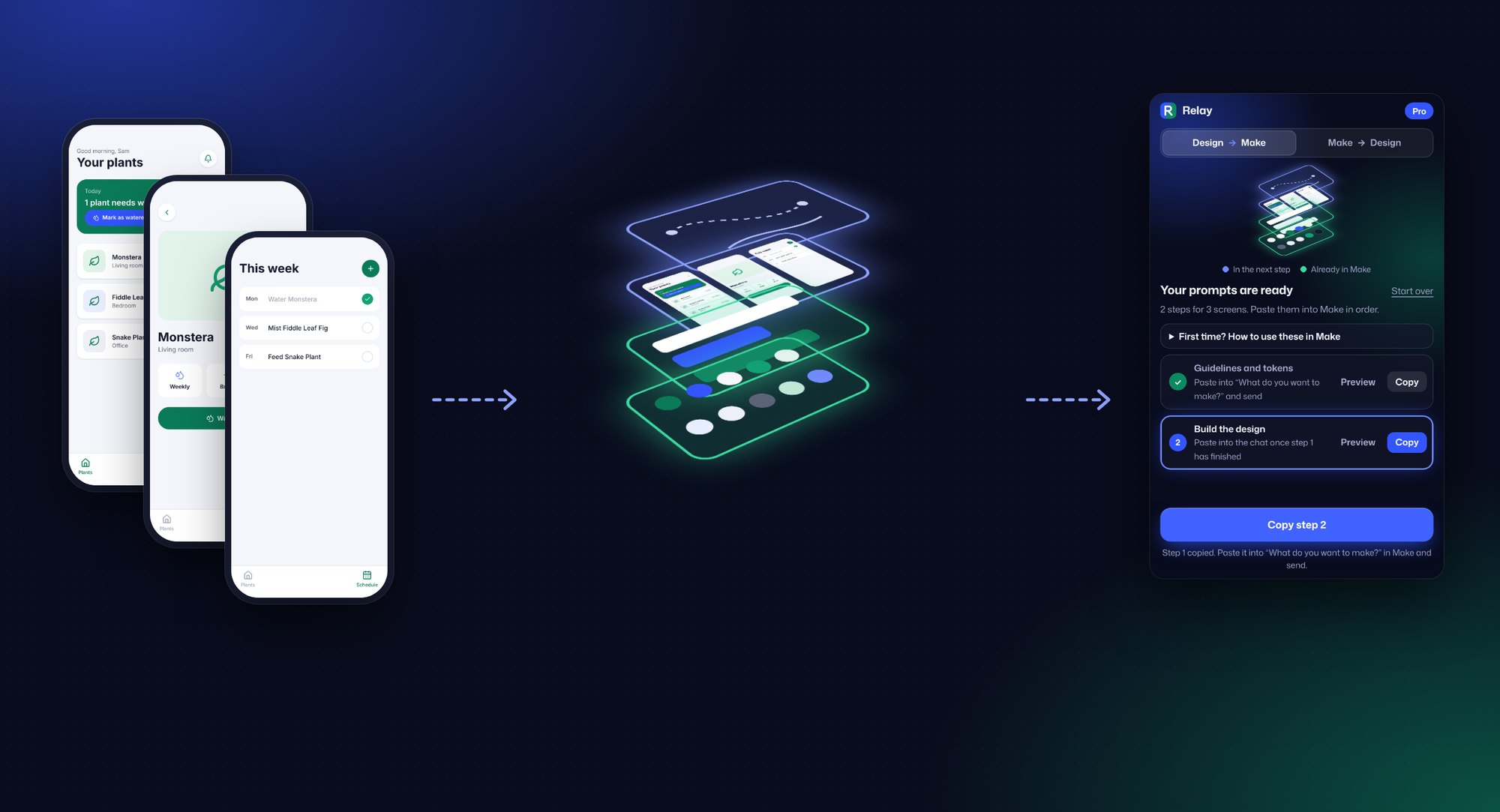
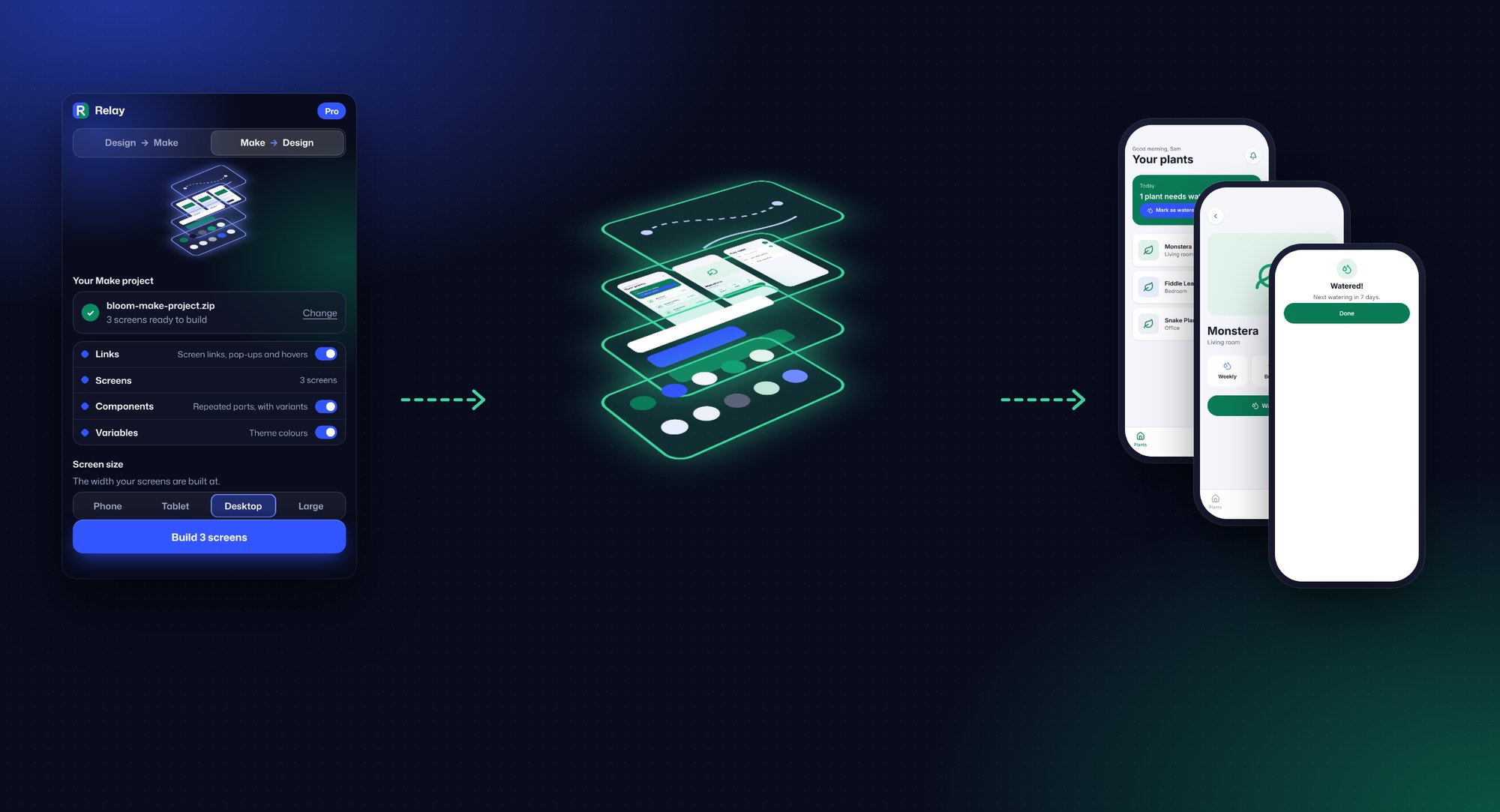
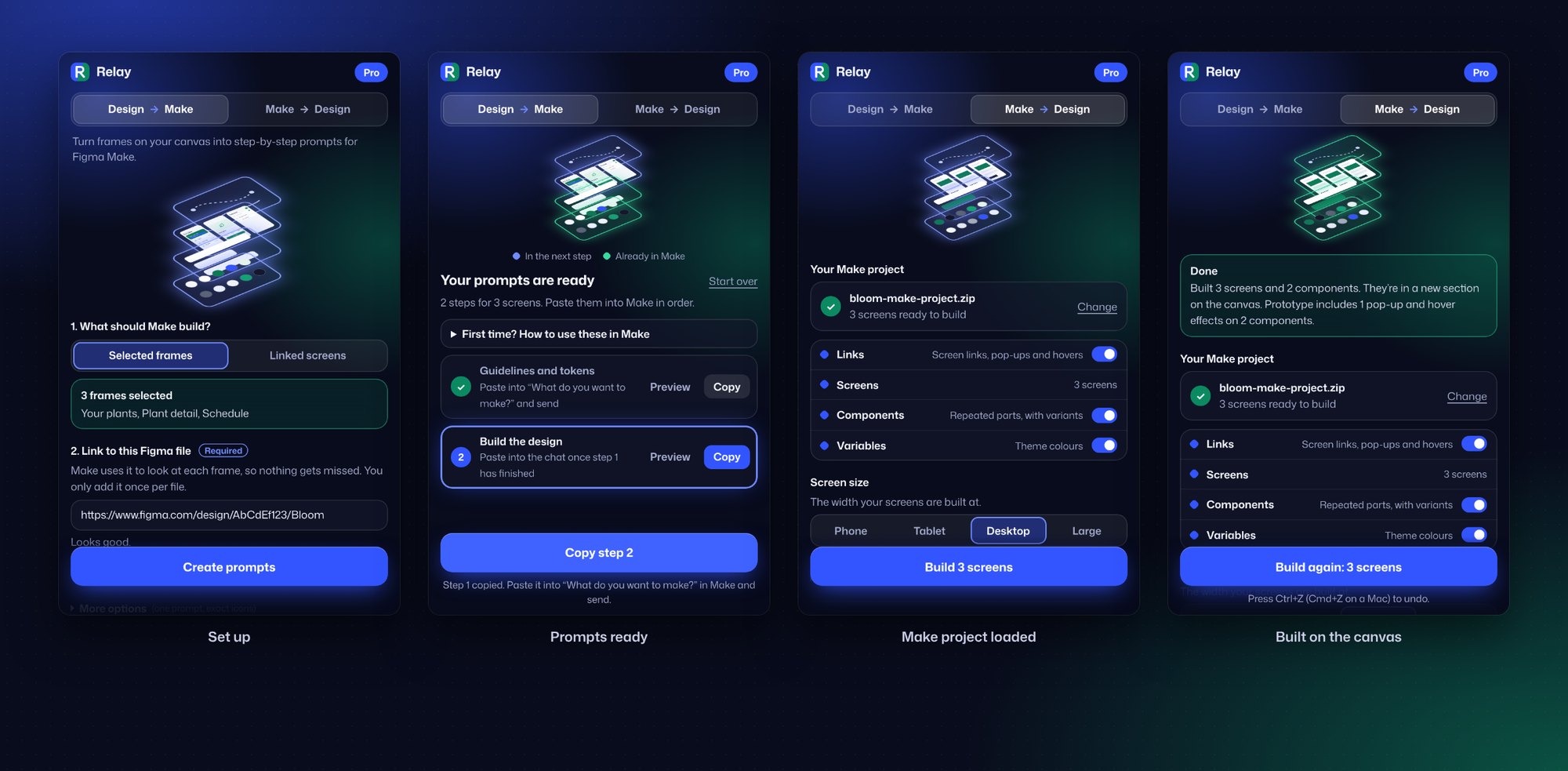
Relay is a Figma plugin that hands work between Figma Design and Figma Make. Select frames and it writes step-by-step prompts Make can follow exactly. Upload a Make project and it rebuilds every screen as real, editable Figma layers, with components, variables and prototype links.
It runs entirely on-device, with no AI and no network access. It launches with a free tier and a Pro subscription at US$8 a month or US$60 a year, including a 7-day free trial.
The challenge
Hours lost between design and Make
Prompting Make to recreate a design meant hours of back and forth, and Make’s own copy option returned a flat snapshot with no auto layout, no components and no prototype links. Relay had to carry a design’s full detail in both directions, and stay simple enough for any skill level.
Long prompting sessions just to rebuild a finished design in Make.
Flat snapshots back from Make, with no auto layout or components.
Prototype links and interactions lost in the move.
A process that only worked for people comfortable with code.
What I did
From concept to Community listing
Product strategy
- Defined the two-way concept, positioning and the free and Pro model
- Planned cross-promotion with Choreo, my motion plugin for Figma
Plugin experience
- Designed the setup, the numbered prompt steps and the Make project import
- Designed the exploded layer picture that shows what’s being handed over
Conversion engine
- Built the reader that turns Make code into frames, auto layout, components and variables
- Built the prompt writer that captures styles, variables and every interaction
Testing & launch
- Tested on real Make projects, from 2 to 51 screens
- Produced the Community listing, playground file, eight images and a demo video
Design direction
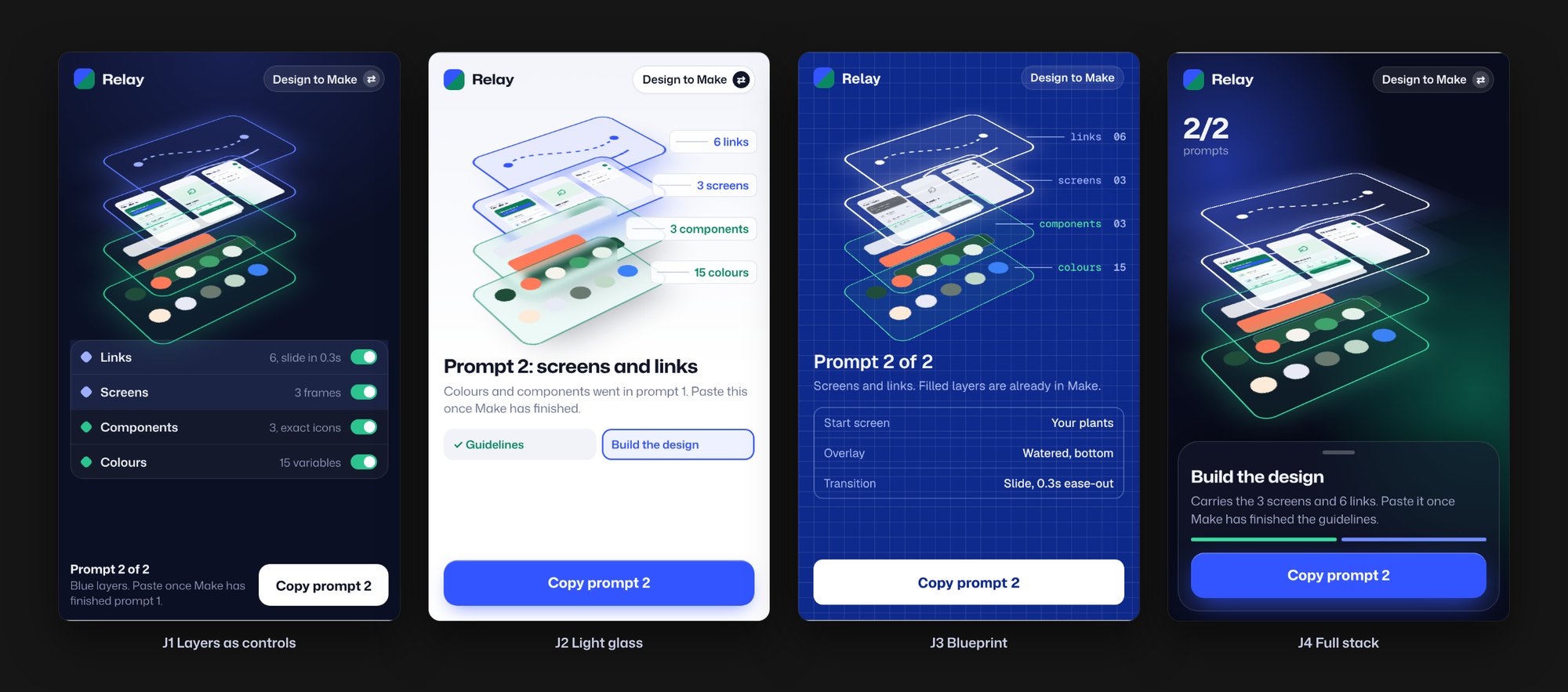
Ten directions, one clear idea
I explored ten visual directions for the plugin panel, from a relay-race theme to a chat-style flow. The exploded layer picture stood out: it shows links, screens, components and colours as stacked layers, lit blue for the next step and green once they’re handed over.

Outcome
Two directions, one plugin
Directions: prompts for Make, and Make projects back as real frames.
Screens rebuilt from a single Make project in testing.
Network requests. Everything runs on-device.
Designing with AI
Claude supported the build and rapid design iterations, working to my direction. The plugin itself uses no AI: every prompt and every frame is generated on-device.
Launching on Figma
Relay launches on the Figma Community with a free tier, a Pro subscription including a 7-day free trial, and a playground file to try both directions.